Entering SMILES in EPI Suite Programs
The main ECOSAR module and the EPI Suite programs require the chemical structure of the compound to make estimations. The chemical structure used by ECOSAR and EPI Suite programs is a SMILES notation.
A maximum of 360 characters are allotted for the SMILES notation.
Several different methods can be used to enter the SMILES notation:
(1) Direct Entry of the SMILES by the user from the keyboard.
(2) Entering the Chemical Abstract Service (CAS) Registry number of the compound (CAS Number Database)
.... Direct Entry of SMILES or entry via the CAS Number Database is done from the same entry field as shown below:
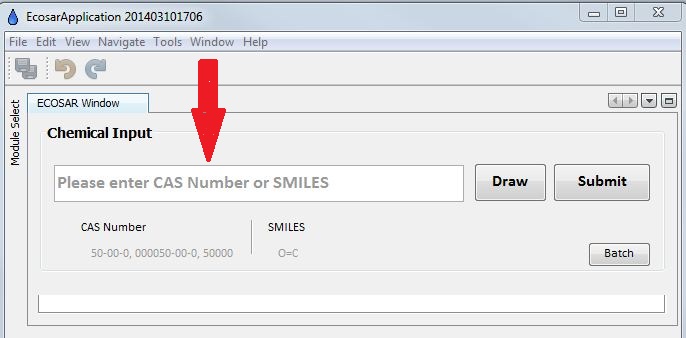
(3) the Structure Drawing module (For information on use of the drawing module, see the on-line Structure Drawing module help file)
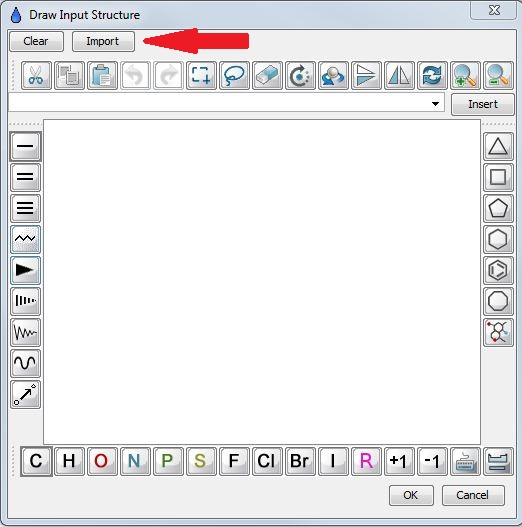
(4) Importing files in MOL file-format ... Must be done from the Structure Drawing module as shown below:
Other Sources of SMILES Notations:
(5) SMILES notations for many compounds, by either CAS number or name, are available from the US National Library of Medicine's TOXNET ChemIDplus resource on the Internet; Available, as of July 22, 2014: http://chem.sis.nlm.nih.gov/chemidplus/